
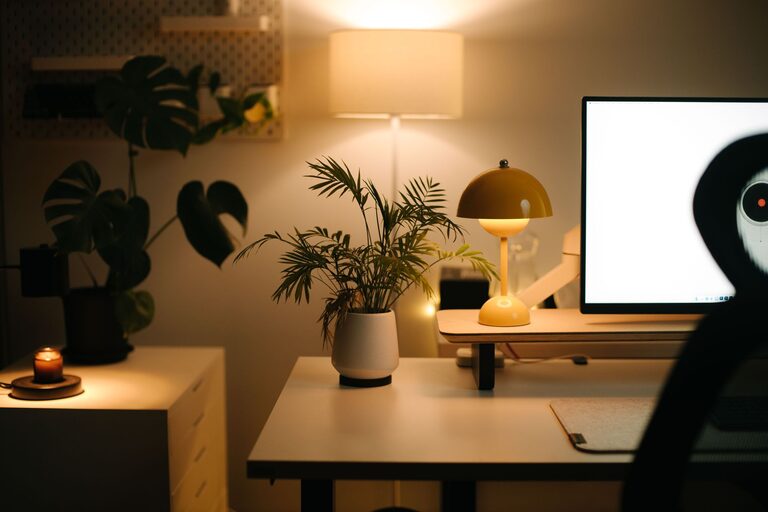
Creating a home office space that feels both cozy and productive can significantly improve your work-from-home experience. Whether you’re setting up a dedicated room or a small corner in your living space, the right environment encourages focus while providing comfort. Here’s how to design a home office that supports your daily tasks and boosts your mood.
Choose the Perfect Spot
Start by selecting a location that suits your work style and home layout.
– Natural Light: Aim for a space near a window to benefit from natural light. It helps reduce eye strain and elevates your mood.
– Quiet Area: Pick a spot away from high-traffic parts of your home to minimize distractions.
– Adequate Space: Ensure there’s enough room for your desk, chair, and any equipment or supplies you need.
Invest in Ergonomic Furniture
Comfort is key for long hours spent working.
– Supportive Chair: Choose a chair with good lumbar support and adjustable height to maintain proper posture.
– Appropriate Desk: Select a desk that fits your space and allows comfortable positioning of your computer and accessories.
– Footrest (Optional): If your feet don’t comfortably touch the floor, a footrest can help reduce strain.
Personalize Your Workspace
Adding personal touches helps create a cozy atmosphere that feels inviting.
– Artwork and Decor: Hang inspiring prints, photos, or plants to brighten your space.
– Color Choices: Use calming colors like soft blues, greens, or neutrals to create a peaceful mood.
– Lighting: Include a desk lamp with adjustable brightness to complement natural light.
Organize for Efficiency
An organized office reduces stress and boosts productivity.
– Storage Solutions: Use shelves, drawers, or containers to keep supplies and documents tidy.
– Cable Management: Keep wires organized with clips or sleeves to avoid clutter.
– Daily Essentials: Keep frequently used items within arm’s reach to save time.
Incorporate Technology Wisely
Make sure your technology setup supports your workflow.
– Reliable Internet: A strong connection is vital for video calls and online research.
– Quality Equipment: Invest in a good keyboard, mouse, and headset if you use them regularly.
– Backup Power: Consider a surge protector or UPS to prevent data loss during outages.
Establish Routines and Boundaries
Even the best office won’t be productive without good habits.
– Set Work Hours: Decide when your workday starts and ends to maintain balance.
– Breaks Matter: Schedule short breaks to stretch, move around, and rest your eyes.
– Limit Distractions: Use noise-canceling headphones or apps to stay focused.
Add Comfort Elements
Small comforts can make your office feel like a pleasant place to spend time.
– Soft Textiles: A cozy rug, cushions, or a throw blanket can add warmth.
– Air Quality: Use an air purifier or keep a window slightly open for fresh air.
– Temperature Control: Keep a fan or heater nearby to adjust for comfort.
Keep it Flexible
A versatile space can adapt to your changing needs.
– Adjustable Furniture: Standing desks or convertible tables allow you to switch positions.
– Multi-use Areas: Design a layout that accommodates phone calls, video meetings, and focused work.
– Seasonal Changes: Swap decorations or adjust lighting as the seasons change for continued comfort.
—
Designing a home office that is both cozy and productive takes thoughtful planning. By focusing on light, comfort, organization, and your unique work style, you can create a space that enhances your daily workflow and wellbeing. Start small, and gradually personalize your area to make it truly your own.